
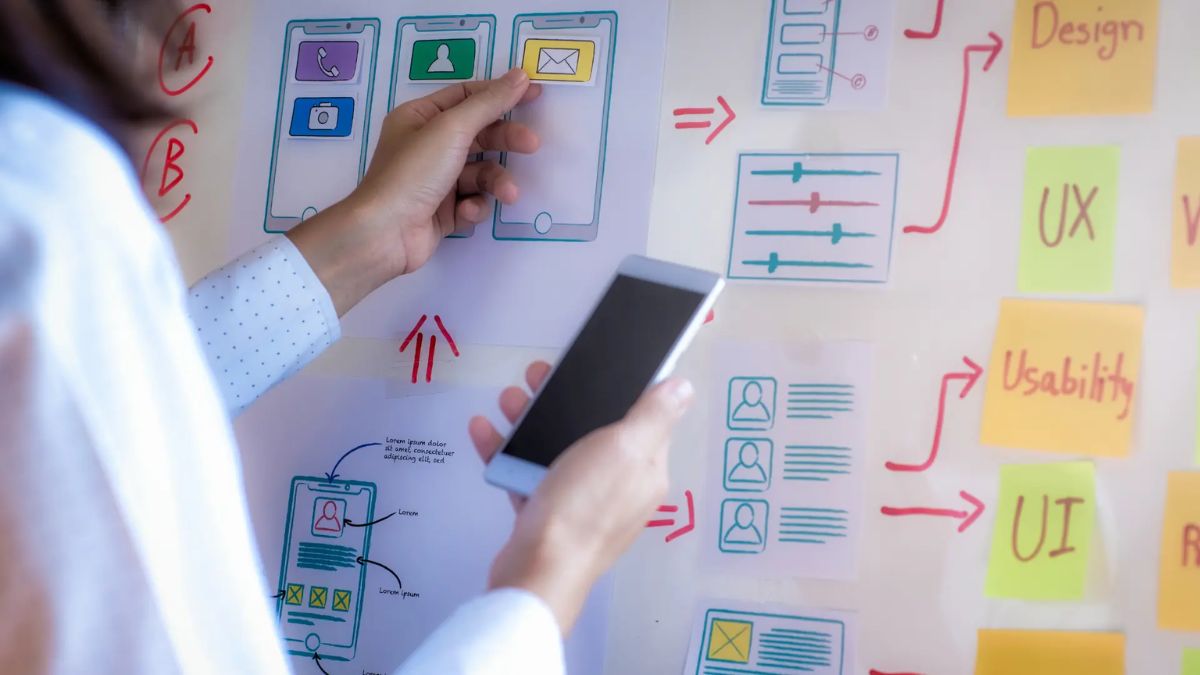
User experience design, or UX design, plays a critical role in shaping how people interact with information systems. Whether it’s an internal company dashboard or a customer-facing application, how users perceive and interact with the system directly affects productivity, satisfaction, and even revenue. By focusing on usability, accessibility, and engagement metrics, organizations can ensure their systems are effective, inclusive, and engaging.
Overview
UX design in information systems focuses on improving how users interact with software, platforms, and digital tools. The goal is to make those interactions smooth, meaningful, and efficient.

An information system (IS) could be anything from an enterprise resource planning (ERP) tool to a customer support interface. If the system is difficult to navigate or unintuitive, users are likely to avoid it or make errors. That’s where thoughtful UX design steps in.
Usability
Usability is at the core of any UX effort. It refers to how easy and efficient it is for users to achieve their goals within a system.
Key elements of usability include:
- Learnability – How quickly can a new user figure out the system?
- Efficiency – How fast can users complete tasks once they know the system?
- Error Reduction – How often do users make mistakes, and how easily can they recover?
- Satisfaction – How pleasant is the overall experience?

Good usability means fewer training sessions, lower support costs, and happier users. It’s especially important in enterprise systems, where poor usability can lead to delays, frustration, and decreased productivity.
Accessibility
Accessibility ensures that all users, regardless of physical or cognitive ability, can use the system.
This goes beyond legal compliance. It’s about designing systems that consider a wide range of needs, such as screen reader compatibility, color contrast for users with vision impairments, and keyboard navigation for those who can’t use a mouse.

A well-designed accessible interface improves usability for everyone. For example, captions in videos help users in noisy environments, not just those who are deaf or hard of hearing.
Accessibility also impacts reach. The more inclusive your system is, the wider your potential user base becomes.
Engagement
Beyond usability and accessibility, systems must also engage users. Engagement measures how users interact with a system over time – are they staying, returning, and using features?
Engagement design includes intuitive layouts, clear feedback, responsive interfaces, and elements that keep users interested without overwhelming them. Features like progress indicators, helpful tooltips, and interactive elements can all boost user engagement.
It’s about creating a system that’s not only functional but also enjoyable and motivating to use.
Metrics
To assess UX performance, organizations rely on a set of engagement and usability metrics. These data points reveal how users interact with the system and where improvements are needed.
| Metric | Purpose |
|---|---|
| Task Completion Rate | Measures success in completing specific tasks |
| Time on Task | Time taken to complete a task |
| Error Rate | Number of mistakes users make |
| User Satisfaction Score | Often collected through surveys or feedback forms |
| Retention Rate | How often users return to the system |
| Bounce Rate | Frequency of users leaving shortly after entry |
These metrics help refine the system based on real-world use, not just developer assumptions.
Integration
User experience design shouldn’t be an afterthought. It needs to be integrated from the beginning of the system development life cycle.
Incorporating user research, prototyping, and testing during the early stages ensures that the final product meets actual user needs. Continuous feedback loops help refine design as the system evolves.
When UX is part of every phase – from planning to rollout – the result is a system that aligns with both business goals and user expectations.
Trends
Modern UX design is shaped by several emerging trends:
- AI-Powered Personalization – Tailoring experiences based on user behavior
- Voice Interfaces – Expanding access for users who prefer speaking over typing
- Minimalist Design – Focused layouts that reduce distraction and improve clarity
- Dark Mode – Increasingly popular for reducing eye strain
- Responsive Design – Ensuring systems work smoothly on all devices
These trends are not just aesthetic. They reflect evolving user behaviors and expectations. Keeping up with them helps systems remain relevant and user-friendly.
Investing in UX design for information systems is not optional. It’s a strategic move that affects everything from employee productivity to customer satisfaction. By focusing on usability, accessibility, and engagement metrics, businesses can ensure their systems are efficient, inclusive, and genuinely useful to the people who rely on them.
FAQs
What is UX in information systems?
It’s the design of how users interact with digital systems.
Why is usability important in UX design?
It ensures users can easily and efficiently use the system.
What is accessibility in UX design?
It ensures systems are usable by people with all abilities.
What are key engagement metrics in UX?
Time on task, retention rate, and task success are common.
How do trends affect UX design?
They reflect evolving user needs and tech expectations.